

ITSM based on ITIL 4
Your entire IT under control, in a single operation
ITIL 4-based ITSM platform to control tickets, SLAs, assets, changes and knowledge base in one operation — with CMDB, AI (Aegis AI Copilot), multi-company and audit traceability.
- Automatic SLA: calculates deadlines, pauses when it depends on the customer and alerts before it breaches.
- Connected operation: tickets, assets, changes, knowledge and integrations in one flow.
- Multi-company: serve several clients without mixing data, queues or histories.
- Native integrations with Kaseya, Datto RMM, Acronis and Bitdefender GravityZone.
See Defender360 ITSM in your scenario
We'll show how to organize tickets, SLAs, assets, changes and integrations in the reality of your operation.
A demo in your scenario, in your language and with no commitment.
Regulated companies in Brazil use Defender360 to organize support, SLA and IT traceability.



7-in-1
modules in one operation
ITIL 4
full cycle: incident → problem → change
100%
Portuguese — support and billing in BRL
5
native integrations (Kaseya, Datto, Acronis, Bitdefender…)
Native integrations with the tools your operation already uses

Everything the team needs on one screen.
From the queue to the history, with the ticket's SLA and asset always in view.
- SLA at risk
- Related asset
- Aegis AI Copilot suggestion
- Full ticket history
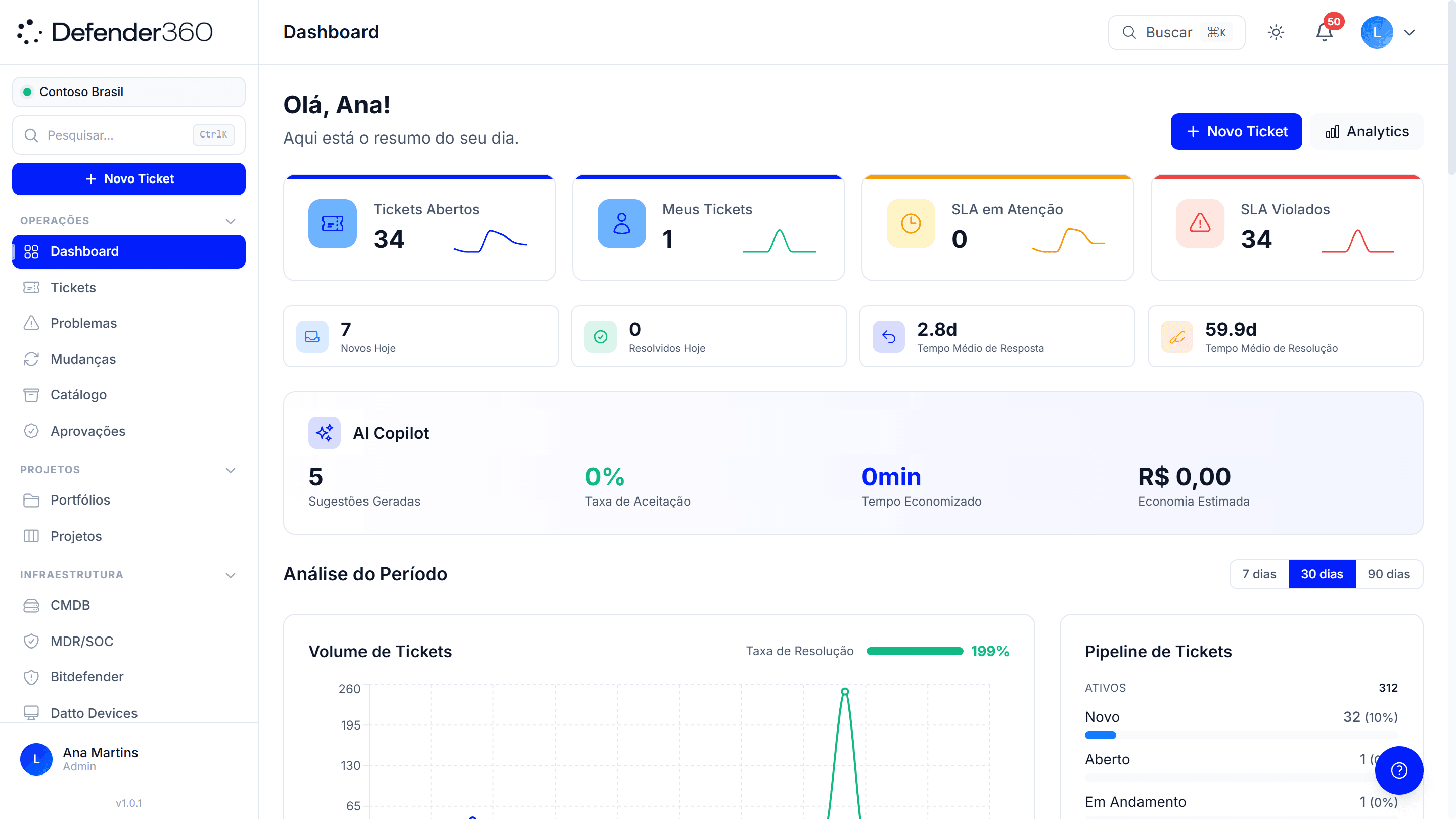
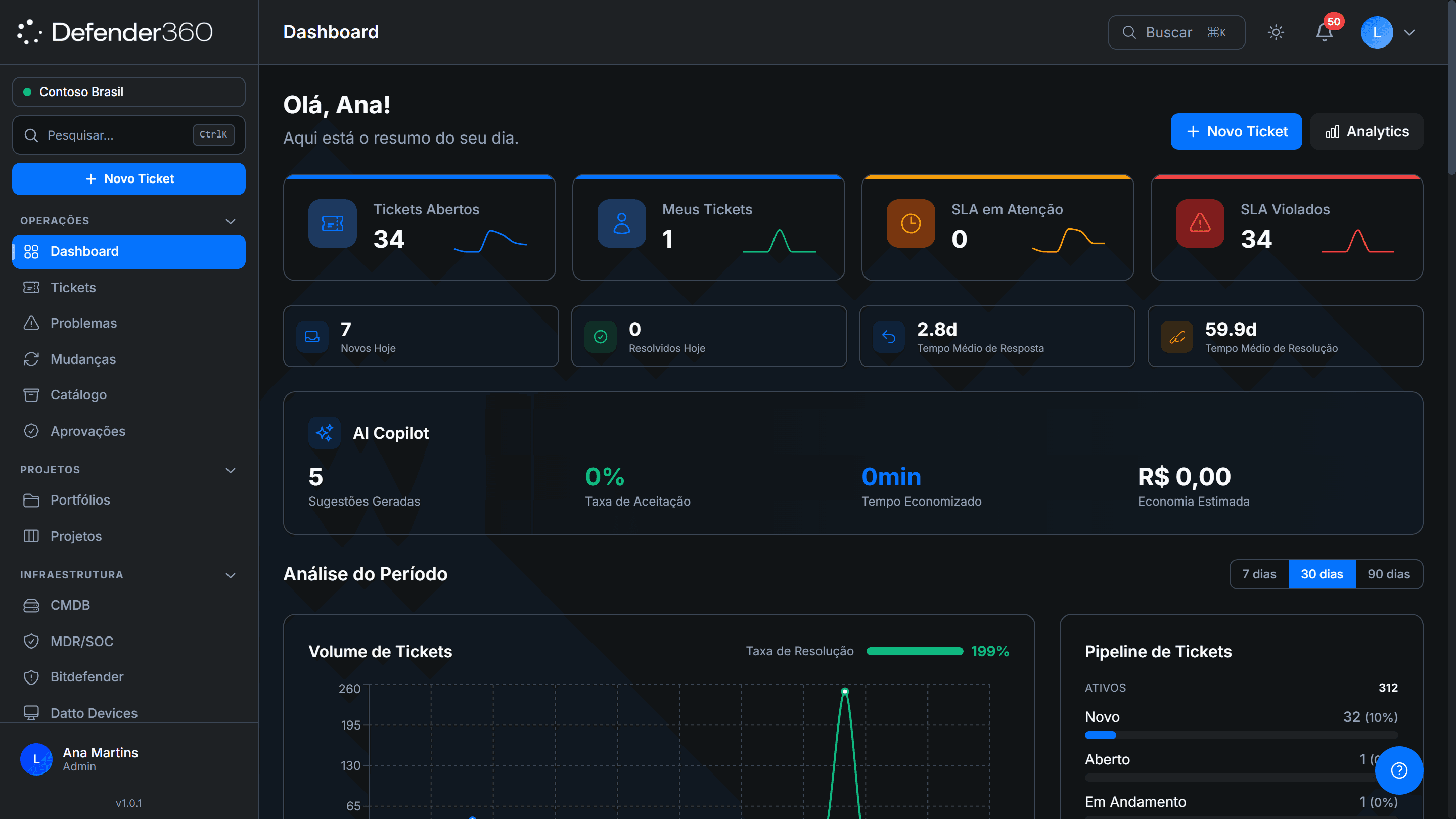
Your IT operation is scattered — and that's why tickets slip.
When support lives in email, spreadsheets and tools that don't talk to each other, no one has the full picture. Deadlines breach without warning. The same problem comes back because it was never logged. And when someone asks for a report, the team stops everything to build it by hand.
- An SLA you only remember after it has already breached.
- A ticket lost between email, WhatsApp and chat.
- No reliable asset inventory — “I think it's in an old spreadsheet”.
- A change made with no approval and no rollback plan.
- Knowledge in a single person's head.
- Little traceability for an audit or to prove what was done.
- When serving several clients, the risk of mixing data from different companies.
ITSM software to control tickets, SLA, assets and changes
Defender360 ITSM connects what's scattered today. The ticket comes in through your operation's configured channels and lands in the same queue, with the SLA running automatically. Assets stay mapped. Changes go through approval. And the team stops reacting and starts controlling.
Operational control
One screen shows what's open, what's late and what needs you now. Without asking anyone for a status.
SLA under control
Deadlines calculate themselves, pause when the ticket depends on the customer and alert before they breach — not after.
Less rework
The knowledge base and AI cut the repetitive work. What's already solved becomes knowledge that reduces repeat tickets.
Scale without chaos
From an internal team to an MSP with dozens of clients, each operation keeps its data, queues and history separate.
How Defender360 ITSM organizes your operation
The ticket lands in the right queue
Requests, incidents and problems enter a centralized operation, with owner, priority and history.
The SLA starts working automatically
The deadline is calculated, paused when it depends on the customer and escalated before it turns into a delay.
Support becomes knowledge and traceability
Every solution, change and action is logged for reference, reporting and audit.
It's not a ticket queue. It's the whole operation.
Most tools stop at the ticket. This one doesn't.
The ticket is just the start. Here the incident becomes a problem, the problem becomes a change, and the change goes through approval. The ITIL 4 cycle closes inside the same platform.
An SLA that works, not a column in a spreadsheet.
The deadline runs automatically, respects the time it depends on the customer and escalates by tiers. You're warned before it breaches.
Real per-company separation.
Each client sees only what's theirs. For those serving multiple companies, this isn't optional.
Assets stay in the right place.
A CMDB with inventory, relationships and history. You know what's behind each ticket and what a change will impact.
Change with a real process.
Approval, maintenance window and rollback plan. Nothing reaches production without going through the flow.
Built for your market.
Support in your language and local billing. Not a foreign tool bolted on in translation.
The features that hold the operation together.
Tickets and incidents
All support in one queue — email, portal, chat and WhatsApp, per your operation's setup. Priority, owner and full history for every ticket.
SLA management
Automatic deadlines by ticket type. Pauses, escalates by tiers and alerts before breaching. The team works with the deadline, not against it.
Knowledge base
Articles with smart search that help resolve questions before they turn into tickets.
CMDB and asset inventory
A map of assets, with relationships and history. The team reaches the right asset and sees the impact of a change before running it.
Change management
A flow with approval, maintenance window and rollback plan. Control from request to execution.
Aegis AI Copilot
AI classifies, prioritizes and suggests the reply. It speeds up the repetitive work, suggests next steps and only runs actions with approval. Support for the team, not autopilot.
Multi-company / multi-client
Serve several clients on the same platform, with each company's data isolated. From 5 to 5,000 tickets a month, with no risk of mixing.
Reports and traceability
Track history, owners, deadlines and executed actions — for operational management and audit.
Native integrations that turn monitoring into service management
Connect the tools your operation already uses to Defender360 ITSM. Alerts, assets, backups, endpoints and security events enter the service flow — with SLA, owner, history and traceability.
RMM connected to service management
Discovered devices, operational alerts and remediation actions enter the ITSM flow, linked to the right asset in the CMDB.
Backup with operational evidence
Backup status of critical systems can be recorded in the CMDB and tracked as part of the service and compliance routine.
Endpoint protection with context
Endpoint events, policies, inventory and security incidents enrich the asset history and help the team prioritize service.
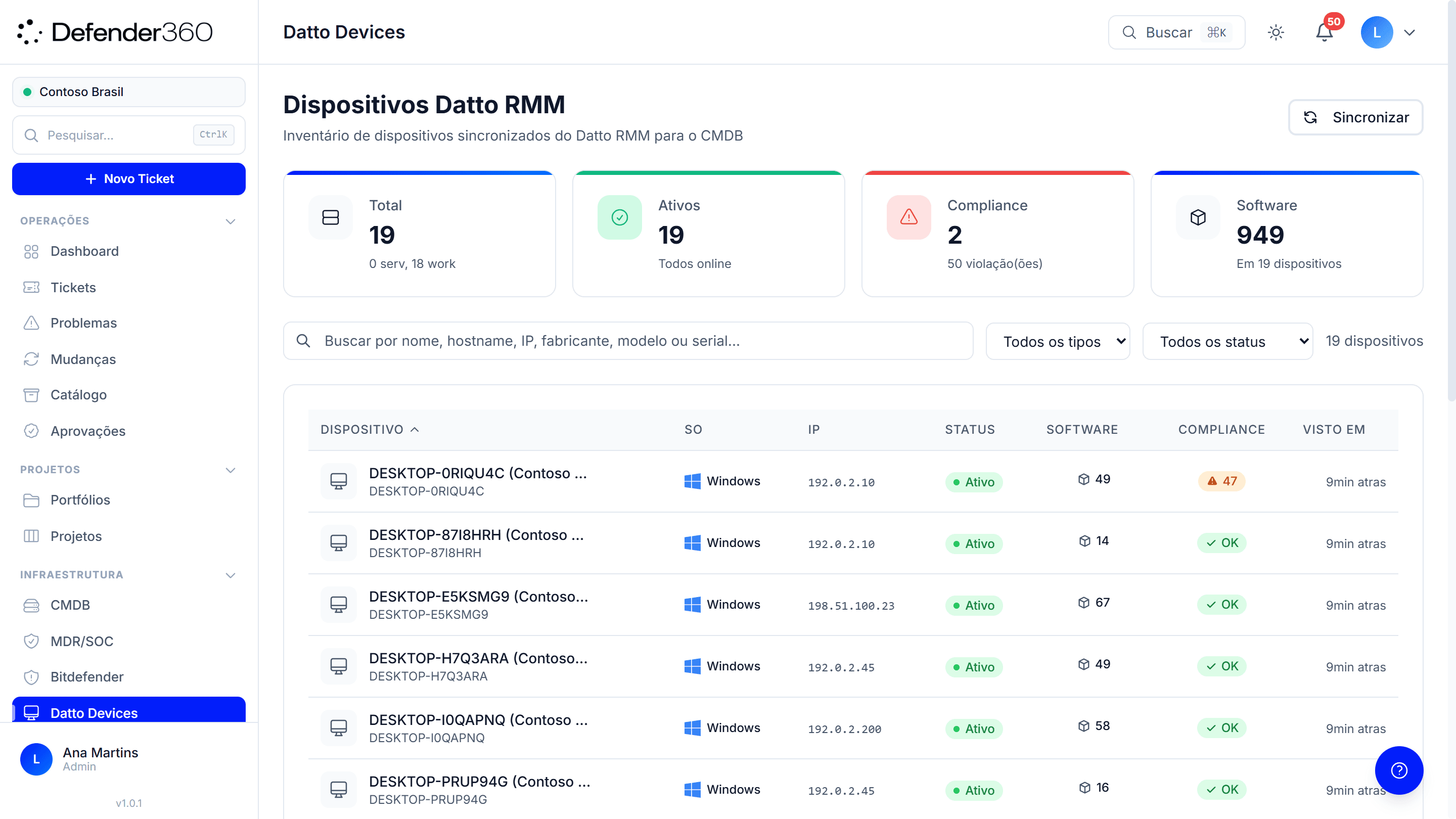
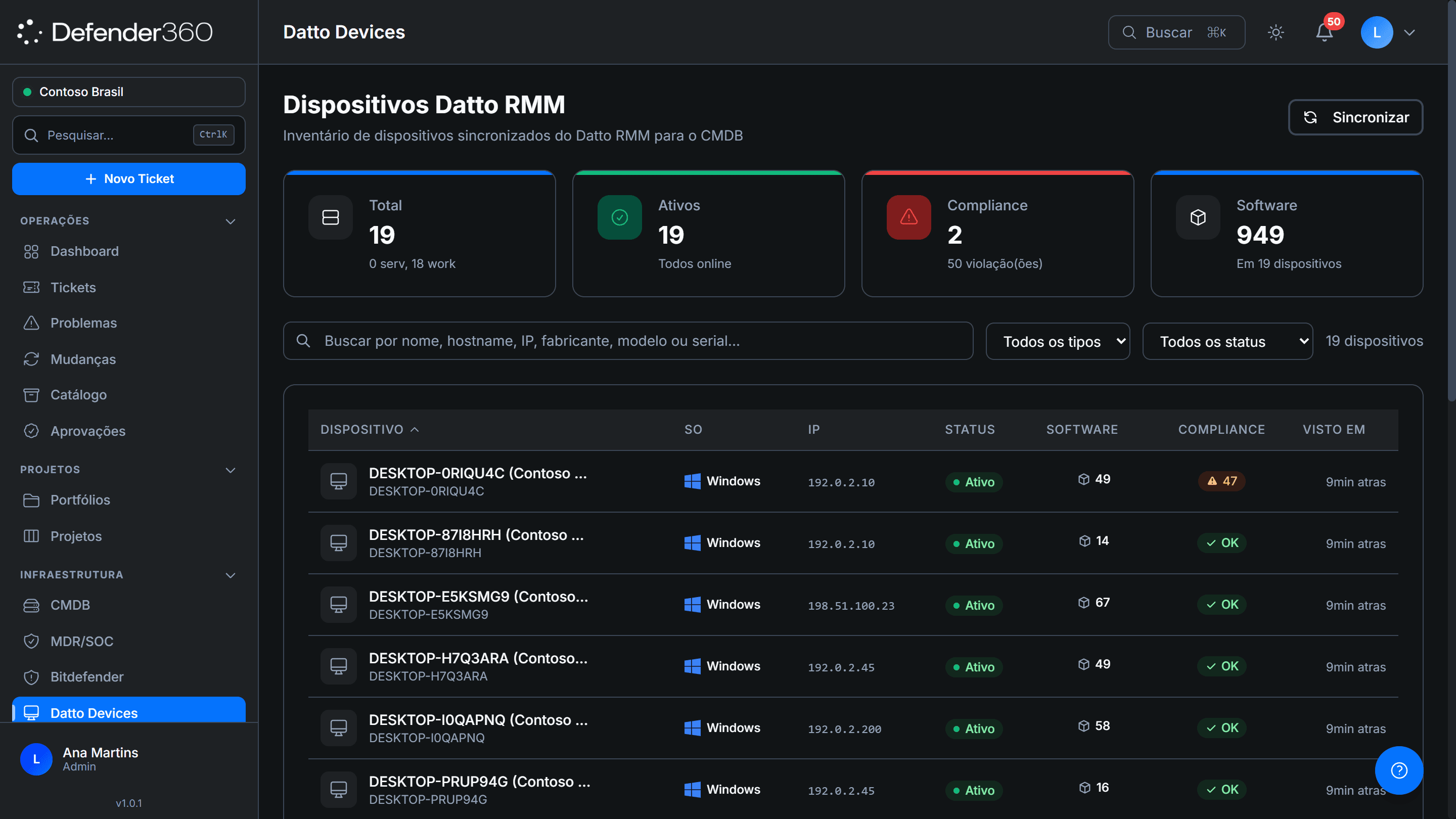
Datto RMM devices synced and linked to the CMDB — with status, software and compliance information according to the operation's configuration.
Ecosystem integrated with Defender360 ITSM
Built for the people who run IT.
For IT managers
Get out of spreadsheet management. See open tickets, SLAs at risk, team bottlenecks and critical changes in a single view of the operation.
For support coordinators
Organize the queue, prioritize what matters and cut rework with the knowledge base and AI suggestions.
For MSPs and multi-client operations
Serve several companies on a single platform, with separated data, organized queues and per-client traceability.
For regulated operations
Record approvals, changes, owners and action history to answer audits with less manual effort.
An operation you can rely on.
- Per-company data separation, with real isolation.
- Complete history of actions, owners and changes.
- Traceability for audit and operational management.
- Support in Portuguese and billing in Brazilian reais.
- LGPD and BCB 538, with ISO 27001 and SOC 2 Type II in progress.
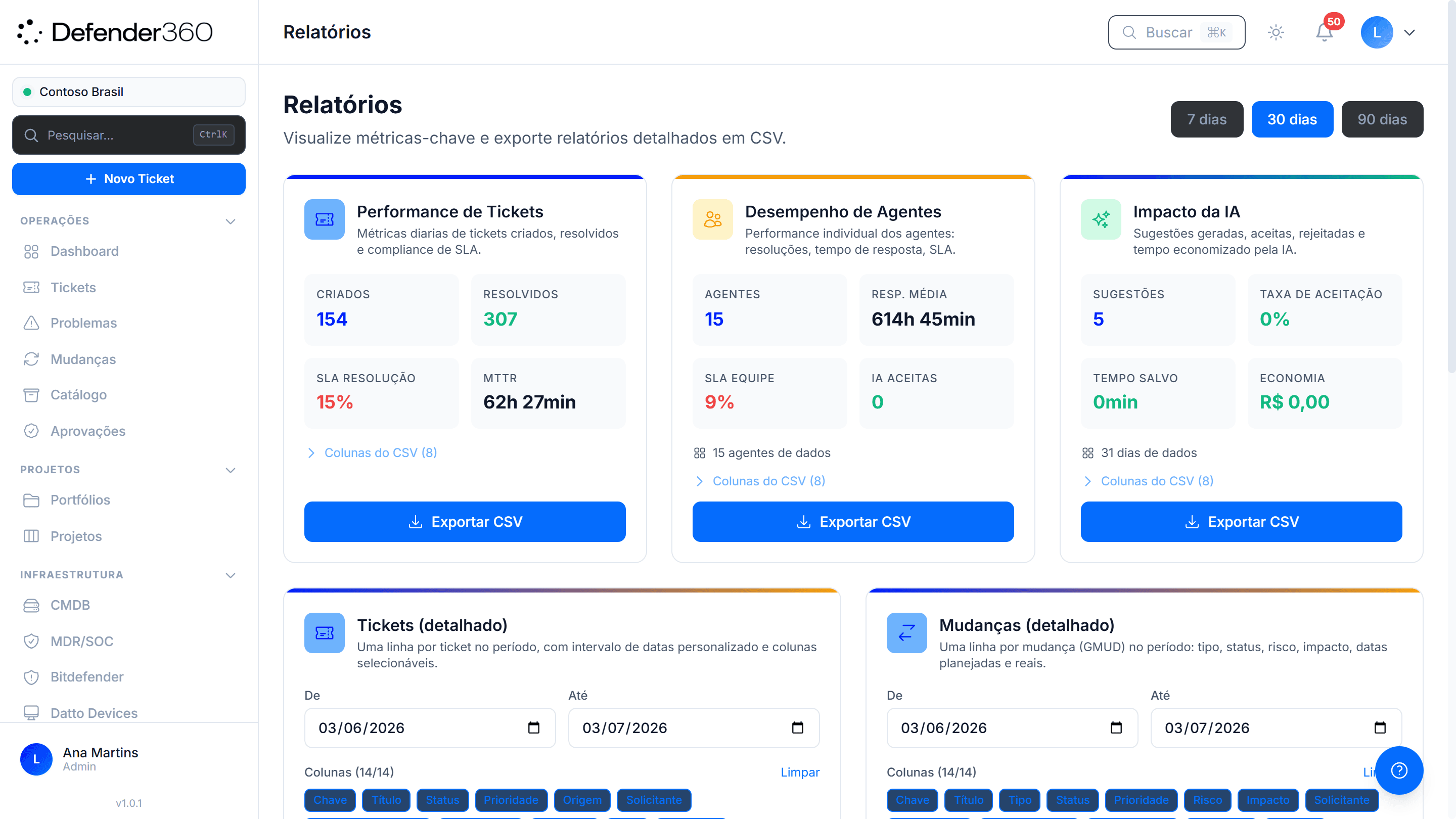
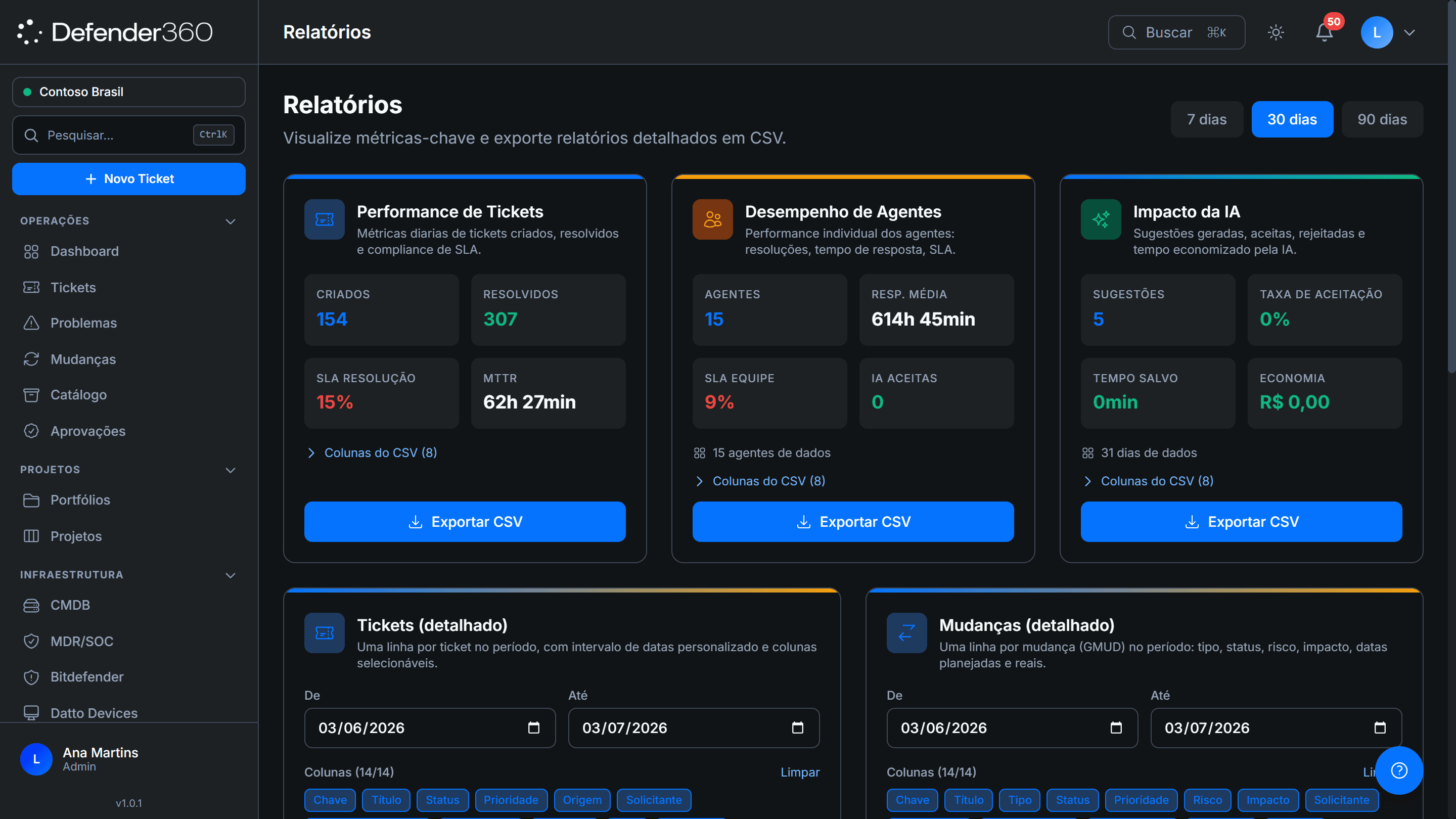
Reports on tickets, agents and changes — exportable to CSV for management and audit.
Companies that transformed their IT operations
We consolidated our IT operation and compliance monitoring into a single platform. What used to require several tools and spreadsheets now has full traceability — and audit visibility is on another level.
Érito Neto
CPTO — Director of Product & Technology · OZ Câmbio
IT support no longer lives in email and spreadsheets. Tickets, SLAs, and assets now move together, and the team stopped firefighting. Portuguese support and the local context made a real difference.
Giovandro Reis Tavares
Business Director · View FS


As a regulated institution, we needed real control and traceability in our IT operation. Centralizing tickets, assets, and compliance in a single platform gave us the governance and visibility that the board and regulators require.
Rafael Ferrão, CFA
Managing Director — Business Director · Banco Caixa Geral Brasil
See what your IT operation would look like inside Defender360 ITSM
In a straightforward demo, we'll show how to organize tickets, SLAs, assets, changes, integrations and multi-client support in your real scenario.
Book an ITSM demoLeave the call with a clear diagnosis of where your operation can gain control.
Frequently asked questions
What is Defender360 ITSM?
Defender360 ITSM is a Brazilian IT service management platform based on ITIL 4. It centralizes tickets, incidents, requests, problems, changes, SLA, knowledge base and asset inventory (CMDB) in a single, traceable operation.
Does it replace a traditional service desk?
Yes. Defender360 ITSM replaces a traditional service desk and extends the operation with automatic SLA, CMDB, change management, knowledge base and the Aegis AI Copilot — all in one platform, with per-company separation.
Is it for companies serving several clients?
Yes. Defender360 ITSM is multi-company: an MSP or multi-client operation serves several clients on the same platform, with each company's data, queues and history isolated from the others.
How does the AI work?
The AI in Defender360 ITSM is the Aegis AI Copilot: it classifies, prioritizes and suggests replies to speed up repetitive work. It only performs an action with human approval — it supports the team, it doesn't replace it.
Does it help with SLA?
Yes, SLA is one of the core features of Defender360 ITSM. Deadlines are calculated automatically, pause when a ticket depends on the customer, escalate by levels and alert before they breach.
How long does it take to start?
Defender360 ITSM onboarding time depends on the size of the operation, the workflows to configure and the data to import. In the demo, we map the implementation path best suited to your scenario.
Which tools does Defender360 ITSM integrate with?
Defender360 ITSM has native integrations with Kaseya and Datto RMM (monitoring and RMM), Acronis Cyber Protect (backup), Bitdefender GravityZone (endpoint). Alerts, assets and incidents from these tools enter the service flow, according to the operation's configuration.
What is the difference between ITSM and a service desk?
A service desk usually focuses on handling tickets. An ITSM platform organizes the full IT operation lifecycle: incidents, problems, changes, SLA, assets, CMDB, knowledge base and reports. Defender360 is ITIL 4-based ITSM — not a ticket queue, but the whole operation.